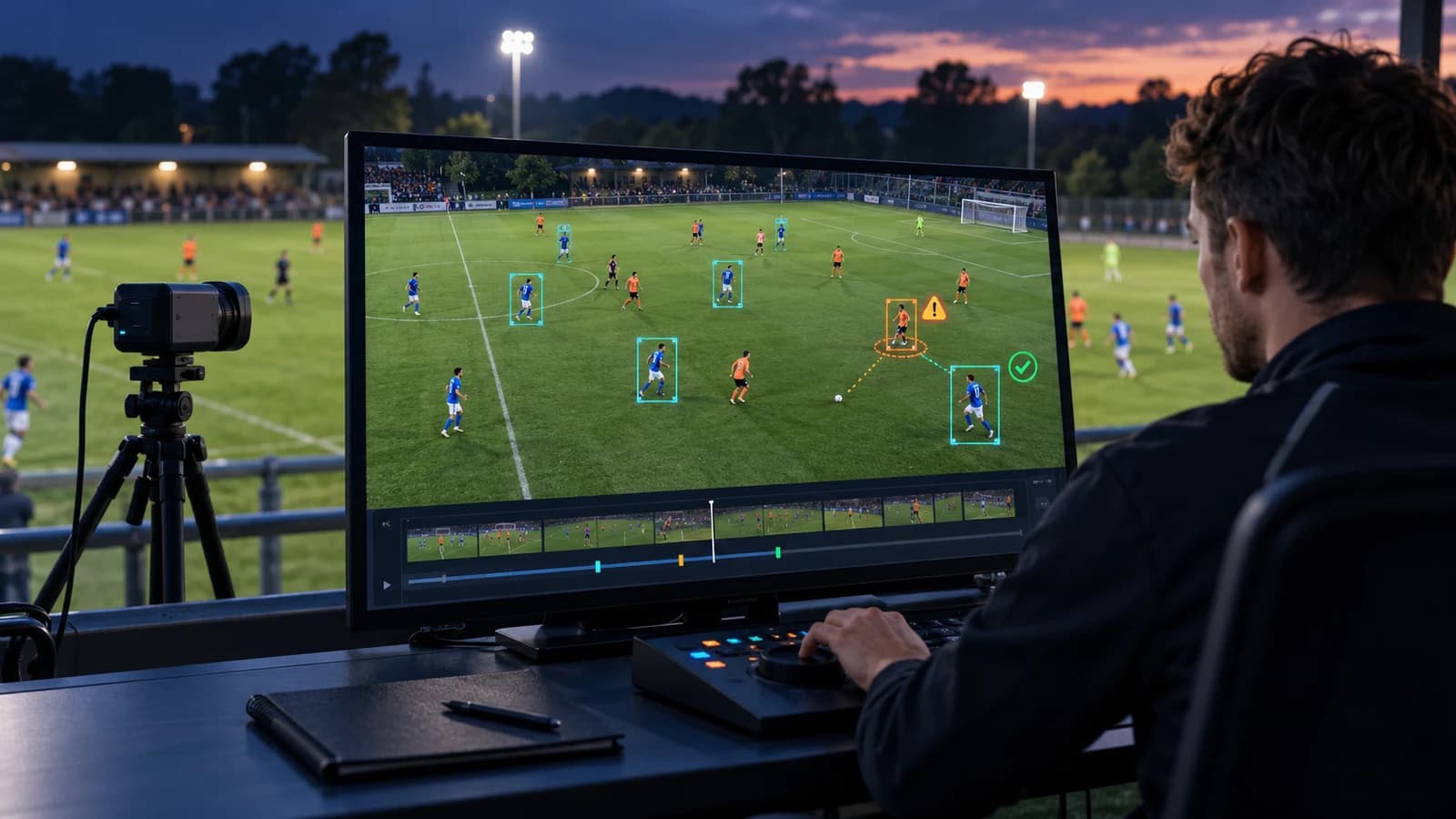
Tennis match tagging means logging each point in a match video as structured data: when every shot happened, how the point developed and how it ended. For most coaches, the best place to start is the first four shots of each point (serve, return, and the next shot by each player), because most points in men's professional tennis end within that range.
Watching a match back without tags is slow, and it is hard to compare one match with the next. Tagging fixes both problems. Once every point is logged, you can filter to every second serve on the deuce side, count unforced errors after long rallies, or pull up every point a player lost after a short return.
This guide is for tennis coaches and academies who film matches and want to turn that video into something they can analyse. It covers what to tag, in what order, how reliable manual tagging is, and when it makes sense to hand the work to someone else.
Key Takeaways
- Most points in men's professional tennis are short. At the 2024 Australian Open, 66% of points across the tournament ended within 0-4 shots (ATP Tour, March 2024).
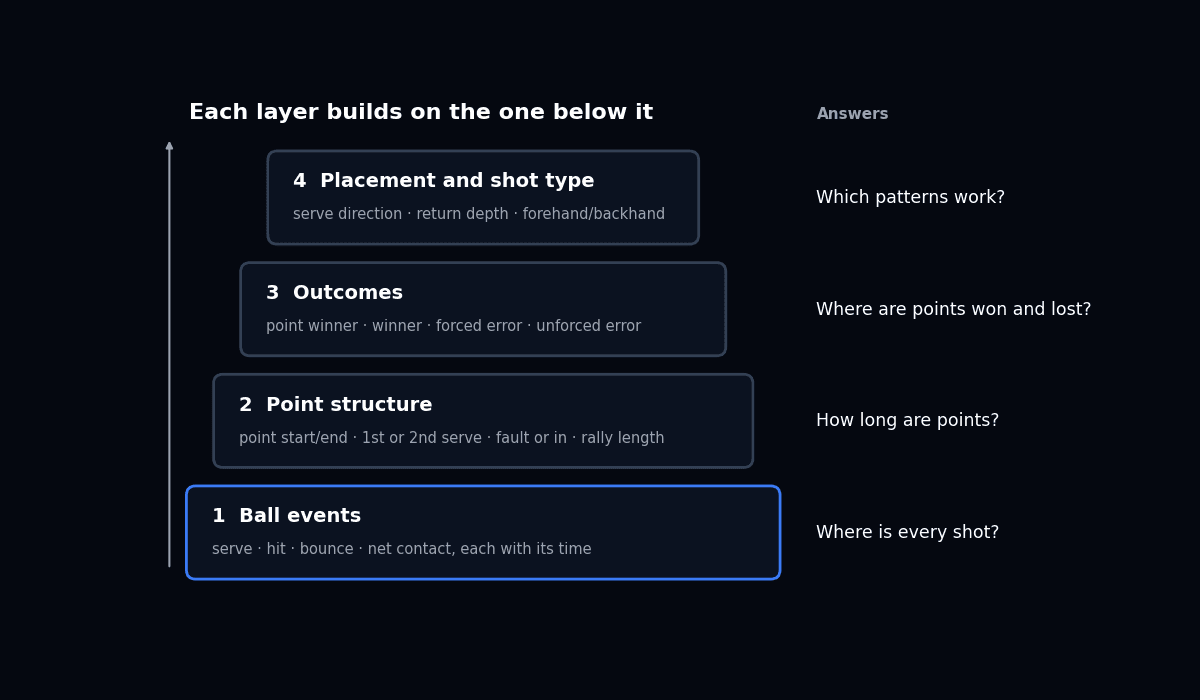
- Think in four layers: ball events, point structure, outcomes, and placement and shot type. Most coaches get the fastest value from point structure and outcomes, and can add frame timing later.
- Manual tagging can be very reliable with clear definitions. In one study, serve and return locations coded by a researcher and four tennis coaches correlated with Hawk-Eye at r = 0.993 to 0.998 (Hizan, Whipp and Reid, 2010).
- Timing tags alone cannot tell a fault from an ace. If you want rally and outcome statistics, you need an outcome label on every point.
- Start small. A basic layer tagged consistently on every match is worth more than a detailed layer tagged on a few.
What is tennis match tagging?
Tennis match tagging is the process of marking events in match video so each point becomes a row of data. A tag records what happened (a serve, a shot, a bounce, an error), when it happened in the video, and any detail you care about, such as which side of the court or which player.
Tennis has a useful public reference for this. The Match Charting Project, run by Jeff Sackmann of Tennis Abstract, has volunteers chart professional matches shot by shot using a short code. Its quick start guide uses letters for shots, such as "f = forehand, b = backhand, s = backhand slice, and r = forehand slice", and symbols for how a point ends: "@ = unforced error, # = forced error, and * = winner" (Tennis Abstract, September 2015).
The same guide tells new charters to skip shot direction, return depth and court position on their first match. That is good advice for coaches too. Detail can come later. Consistency has to come first.
If you are interested in how the same video is used to train ball-tracking and line-calling systems, our guide to tennis computer vision covers that side.
Why do the first four shots matter most?
Most points in men's professional tennis end within four shots, so the serve, return, serve +1 and return +1 deserve the most detailed tagging. The ATP's Infosys Beyond The Numbers series, written by analyst Craig O'Shannessy, tracks this rally-length split for players and tournaments.
- At the 2024 Australian Open, the tournament average was 66% of points in the 0-4 shot range. Jannik Sinner, who won the title, played 59% of his points in that range across seven matches (ATP Tour, March 2024).
- When Carlos Alcaraz won Queen's Club in 2023, 494 of his points, or 71%, were 0-4 shot rallies (ATP Tour, July 2023).
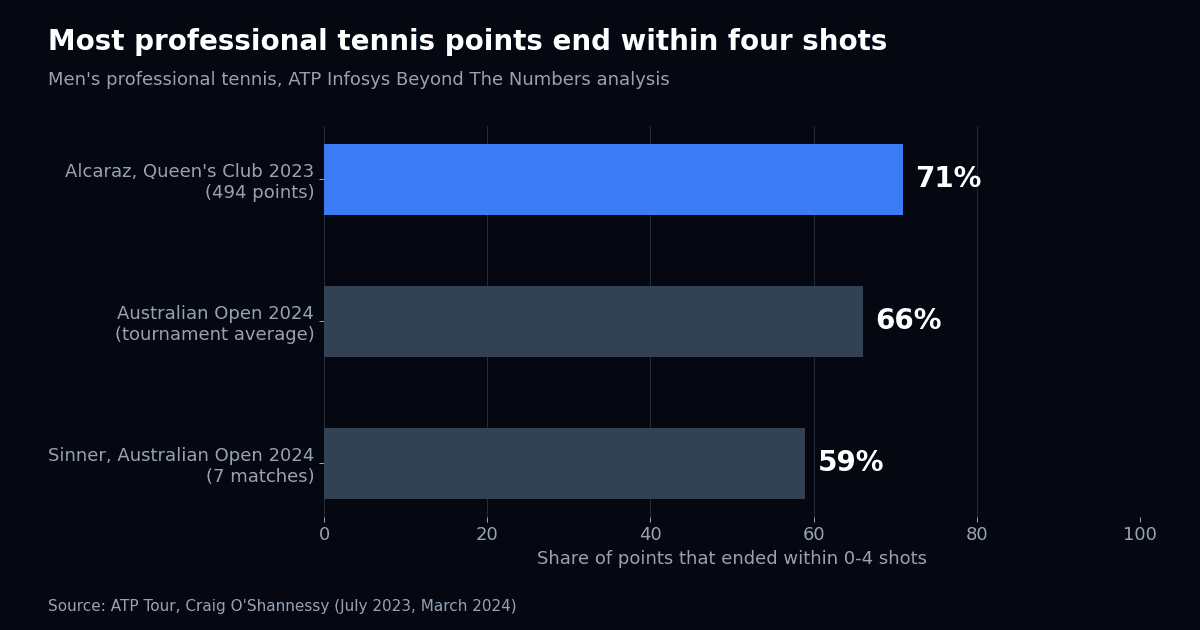
These figures come from men's professional tennis, from different events and surfaces, so they show a pattern rather than a direct comparison. Junior, women's and club matches may look different. That is the point of tagging your own players. Once rally length is logged, you can see whether your player's matches look like the professional pattern or whether they are winning and losing points in longer exchanges.
Either way, the first four shots are where tagging pays off first. Knowing where a player serves under pressure, how deep their returns land and what they do with the next ball covers a large share of a typical professional match.
The four layers of tennis match tagging
Think of tagging in four layers, and only add the ones your coaching questions need. Each layer answers different questions. For data that will feed software or AI models, each layer is built on the one below it. For coaching, most people get the fastest value from point structure and outcomes, and add frame-accurate timing only when they need clips or timing analysis.
| Layer | What gets tagged | Questions it answers | Relative effort |
|---|---|---|---|
| 1. Ball events | Each serve, hit, bounce and net contact, with its time in the video | Where is every shot? How long are the gaps between shots? | Most tags per match |
| 2. Point structure | Start and end of each point, first or second serve, fault or in, rally length | How long are points? How often does the first serve go in? | Low, once layer 1 exists |
| 3. Outcomes | Who won the point, and how: winner, forced error or unforced error | Where do points get won and lost? | Low to medium |
| 4. Placement and shot type | Serve direction, return depth, forehand or backhand, shot direction | What patterns does a player use, and which work? | Highest |
Layer 1: ball events
Each serve, hit, bounce and net contact gets a tag at the exact moment it happens. It produces the most tags per match. On its own, this layer is mainly useful for building highlight clips and for measuring timing. It is also the kind of data used to train ball-tracking models.
Layer 2: point structure
Point structure groups ball events into points. This is where a common gap shows up. Timing tags alone cannot tell a fault from an ace. A serve followed by nothing could be a fault, an ace or an unreturned serve. Unless each point has a label saying which, rally length and first serve percentage cannot be calculated reliably.
Layer 3: outcomes
Outcomes are what many coaches mean when they say "stats": winners, forced errors and unforced errors, and who won each point. The Match Charting Project codes above are a ready-made standard you can adopt.
Layer 4: placement and shot type
This is the most detailed layer: serve direction, return depth, forehand or backhand, and shot direction. It answers the tactical questions, such as where a player serves on big points, but it takes the most time per match. One way to keep the effort manageable is to add it only for the first four shots of each point.
Whatever you tag, write the definitions down before you start. A shared event taxonomy makes it far easier to keep tags consistent across matches and across the people doing the tagging. Our guide to designing a sports event taxonomy explains how to write definitions a team can follow.
Can you trust manually tagged tennis data?
Yes, when the definitions are clear and the taggers are trained. The clearest evidence comes from a 2010 study that tested a coding system for serve and return locations against Hawk-Eye (Hizan, Whipp and Reid, 2010).
- Ratings from different coders were very highly correlated. Inter-rater correlation was r = 0.972 for first or second serve and r = 0.999 for serve landing location.
- The researcher and four tennis coaches coded the same points, and their results were compared with Hawk-Eye. Correlations were r = 0.998 for serve landing location, r = 0.993 for the return impact location and r = 0.997 for the return landing location.
Those are serve and return locations, which are relatively clear to judge on video. Harder calls, such as forced versus unforced errors, depend much more on how well the definition is written. In our view, a written rulebook matters at least as much as the tool you tag in.
A simple check helps on any team: have two people tag the same set independently every few weeks and compare. Our guide on how to measure annotation quality explains which agreement numbers to look at.
Should you tag matches yourself or outsource it?
Tag yourself while you are still working out what you need, then outsource once the definitions are stable and the volume grows. Tagging your own matches teaches you what is worth tracking. But it takes time away from coaching, and that time grows with every layer you add and every player you follow.
Outsourcing makes sense when:
- You film more matches than you have time to tag.
- You want the same definitions applied to every player, every week.
- You need detailed layers, such as placement on every shot, that take too long for you to do yourself.
Keep it in-house when you only tag a few matches a season, or when tagging is part of how you teach players to read their own matches.
For the full trade-off, see our comparison of in-house and outsourced sports annotation, and our guide to what sports video annotation costs.
How Train Matricx tags tennis matches
We tag to your definitions, in layers, and a human checks every tag before delivery. The process is the same whichever layers you need.
- Agree the layers and definitions. We start from what you want to answer, decide which of the four layers that needs, and write down definitions for each tag, including edge cases such as lets and double faults.
- Tag the agreed layers. Taggers mark ball events at the frame where they happen, and add point structure, outcomes or placement where those layers are part of the job.
- Review every tag. A reviewer checks each event against the video and the definitions before anything is delivered. Tags that fail go back to the tagger.
- Deliver in your format. You get a file you can open in a spreadsheet or load into your own analysis tool, with one row per event or per point, as CSV, JSON or your own schema.
If you want to see what this looks like on your own footage, our free annotation pilot tags a clip from one of your matches, with a full QA report.
Frequently Asked Questions
What is the most important thing to tag in a tennis match?
For most coaches, the first four shots of each point: serve, return, serve +1 and return +1. Most points in men's professional tennis end within that range, so tagging them well covers a large share of a typical professional match.
What is the difference between a forced and an unforced error?
A forced error is one the opponent's shot caused, for example by pace, depth or placement. An unforced error is one the player made without real pressure. The line between them is a judgement call, so write a definition your team agrees on and apply it every time.
Which tagging layers take the most time?
It depends on how many layers you tag. Ball events produce the most tags per match. Outcomes are quicker once point structure exists. Shot type and placement on every shot take the longest. Start with fewer layers and add more once they are consistent.
Bottom line
Tagging turns match video into something a coach can search, count and compare. The work pays off fastest when it is focused and consistent.
- Start with the first four shots, where most men's professional points end.
- Tag in layers, and make sure each point has an outcome label, not just timing tags.
- Write definitions down, and check agreement between taggers now and then.
Once the definitions are stable and the match count grows, handing the tagging to a specialist team frees up your time for coaching. Our guide to computer vision in athlete training covers where automated analysis is heading next.

Client results

“Train Matricx didn't just provide labeling — they became an extension of our team. With 6K+ football matches annotated and counting at 98% accuracy, they are our premier data partner.”

Billy Brush
Founder & CEO, Dark Horse AI
Don't take our word for it. Test the labels.
Send us the footage your current vendor gets wrong — the occluded players, the motion blur, the edge cases. We annotate it and return a QA report you can check frame by frame.
- Your hardest clip, annotated in 48 hours
- Full QA report with per-frame accuracy
- No commitment, no contract, no card