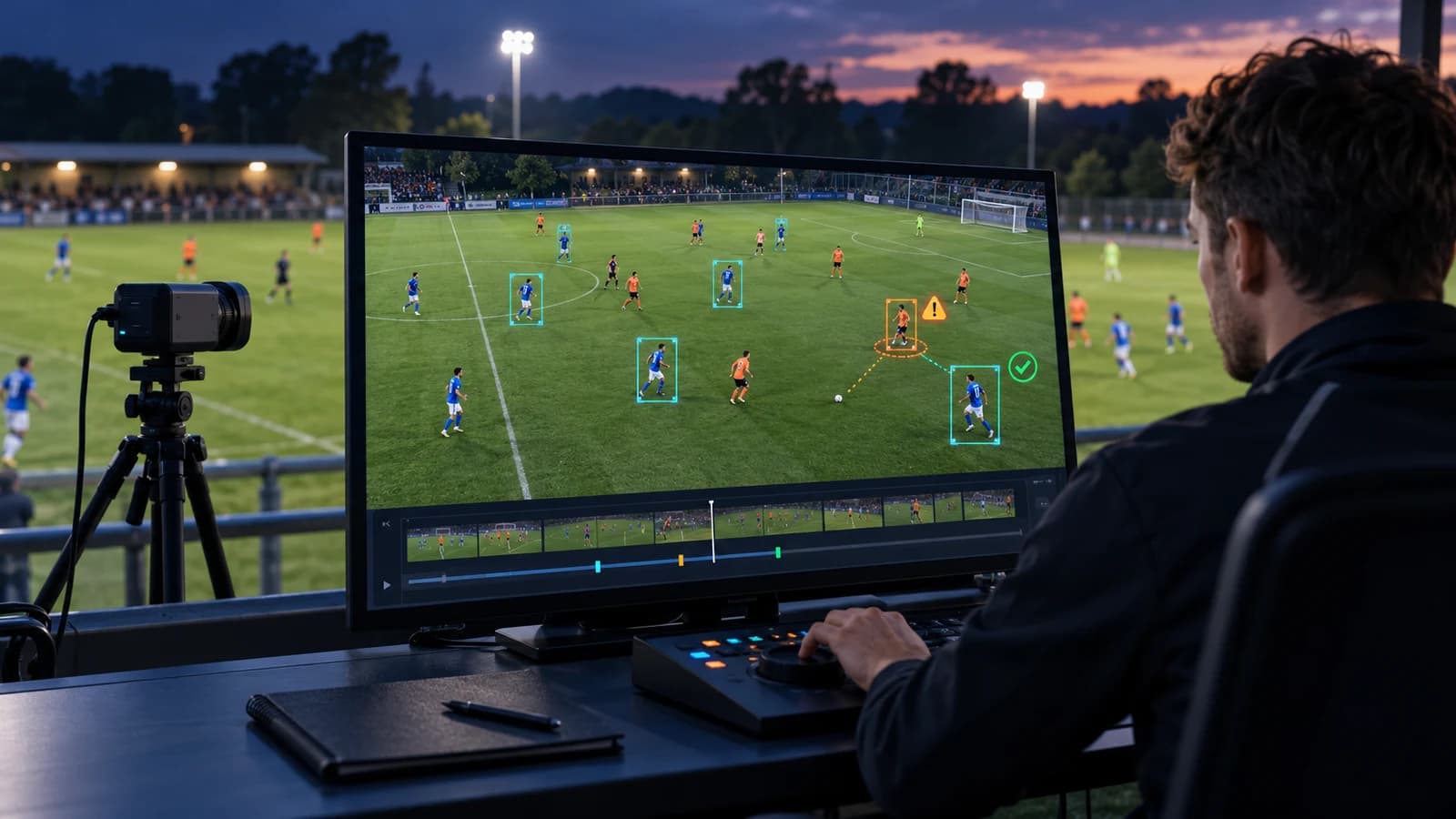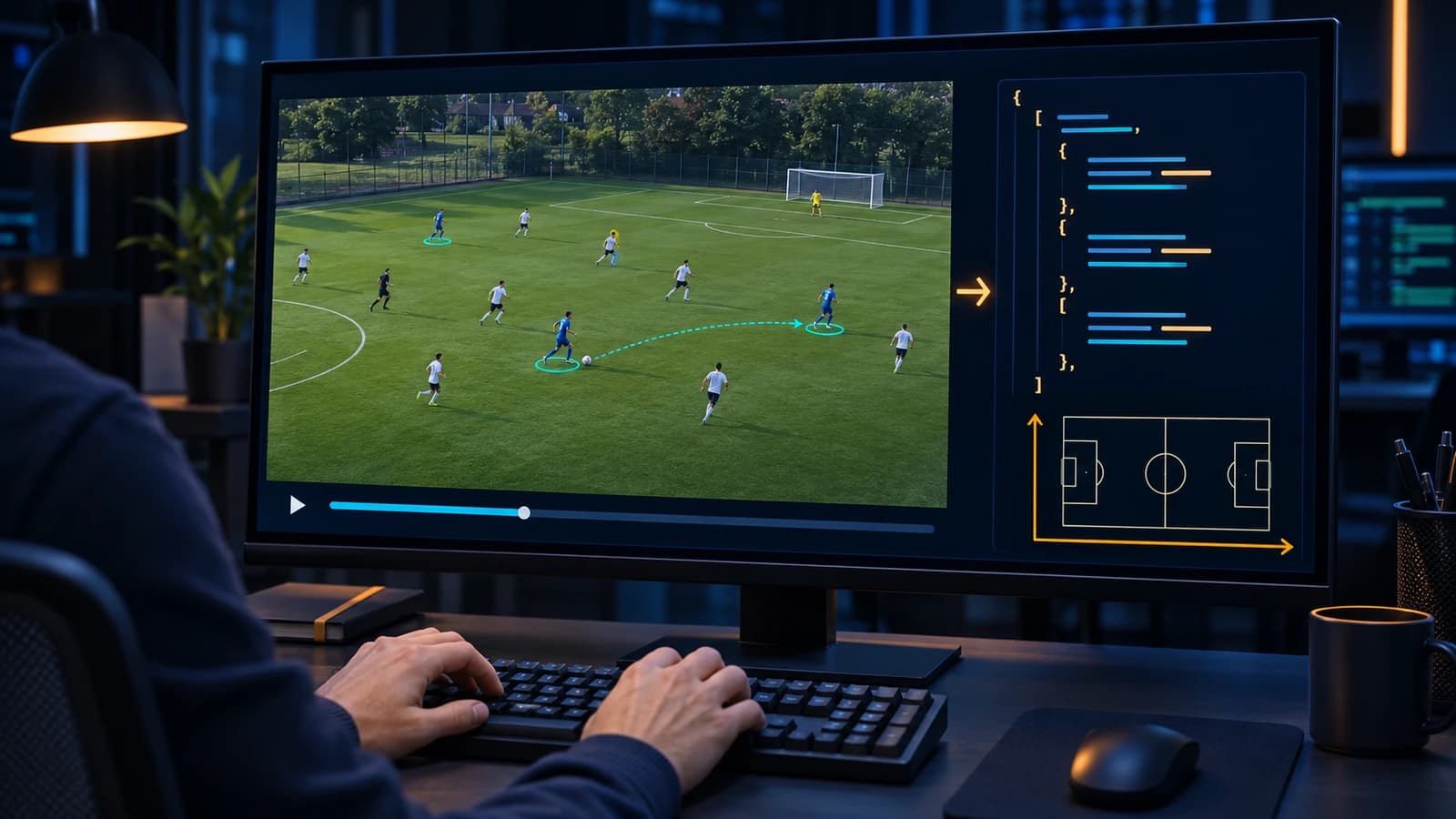
A football event data file needs nine core fields per event: a unique ID, the period, a match-clock timestamp, the team, the player, the event type, the sub-type, the outcome and the review status, plus a pitch location for on-ball events. Around those, the file needs a header that says which coordinate system, which schema version and which tagging guidelines were used. If you train computer vision models, add a frame index tied to one specific video file. Without it, the events cannot be lined up with the pixels.
Football event data is a log of on-ball actions in a match, such as passes, shots, tackles and saves, each recorded with when it happened, who did it, where, and how it ended. A data dictionary is the document that defines every field in that log: its name, its type, its allowed values and what it means.
This guide is for engineers and founders who have to write the spec for a tagging job, or ingest event data from somebody else. It walks through each part of the file, shows how the big providers solve the same problems differently, and ends with a schema you can download and adapt. The schema is our default delivery format for football event tagging. It is free to copy.
Key Takeaways
- The three best-known providers use three different coordinate systems for the same pitch. StatsBomb uses a 120 × 80 grid from the top left, Opta uses 0–100 from the bottom left, and Wyscout uses 0–100 from the top left (kloppy). State yours in the file header.
- Match-clock time is not enough for computer vision. SoccerNet's action labels give game time as minutes and seconds, and its CALF baseline turns that into a frame by multiplying by the frame rate (SoccerNet CALF). If your model needs the exact frame, store the frame.
- Keep the schema version and the guideline version separate. The file format and the event definitions change for different reasons.
- Never guess a player. Use
nulland a flag. In our view, a confident wrong player ID does more damage to a model than an honest gap.- Put the QA status in the data itself, so you can filter on it later. A separate PDF report can't be filtered.
What should one football event record contain?
Nine fields are required; the rest depend on what the data is for. This is one pass from our sample file:
{
  "event_id": 8,
  "timestamp": "00:23:18.52",
  "period": 1,
  "team": "home",
  "player_jersey": 6,
  "event_group": "Passes",
  "sub_event": "Through",
  "outcome": "complete",
  "start": { "x": 17.0, "y": -9.0 },
  "end": { "x": 38.0, "y": 2.0 },
  "qualifiers": { "pressure": "medium", "body_part": "right_foot", "progressive": true },
  "related_event_ids": [9],
  "frame": 36213,
  "video_time_s": 1448.52,
  "qa": { "reviewed": true, "audited": true, "changed_in_review": false, "flag": null }
}
Each field answers one question a downstream user will ask:
| Field | Question it answers | Required |
|---|---|---|
event_id | Which event is this, uniquely, within the match? | Yes |
period, timestamp | When did it happen on the match clock? | Yes |
team, player_jersey | Who did it? | Yes (player can be null) |
event_group, sub_event | What happened? | Yes |
outcome | How did it end? | Yes |
start, end | Where did it start and finish? | Yes for on-ball events |
qualifiers | What detail does the analysis need: pressure, body part, height? | Depends on scope |
related_event_ids | Which other events belong with this one? | Recommended |
frame, video_time_s | Which video frame shows it? | Yes for CV training |
qa | How far has it been checked? | Yes |
The rest of this guide explains the choices behind each row.
What belongs in the match header?
The header is where every file-wide assumption gets written down, so nobody has to guess it from the data. Our header carries:
match_id: a stable ID that is never reused, even if a match is re-tagged.home_team,away_team, and optionallycompetition.coordinate_system: name, origin, axis directions, units and pitch size (next section).schema_version: which version of the file format this file follows, for exampletm-football-1.1.guideline_version: which version of the event definitions the taggers used.package: the agreed scope, such as key events only or every touch.video: the file name and frame rate the frame numbers refer to.
Keep schema_version and guideline_version apart. The schema changes when a field is added or renamed. The guidelines change when you redefine what counts as "pressure" or where a carry ends. If one version number covers both, a reader can't tell whether an old file is incompatible or whether its events just mean something slightly different. Our guide to sports taxonomy and event schema design covers how to version definitions without silently changing old matches.
Which coordinate system should you use?
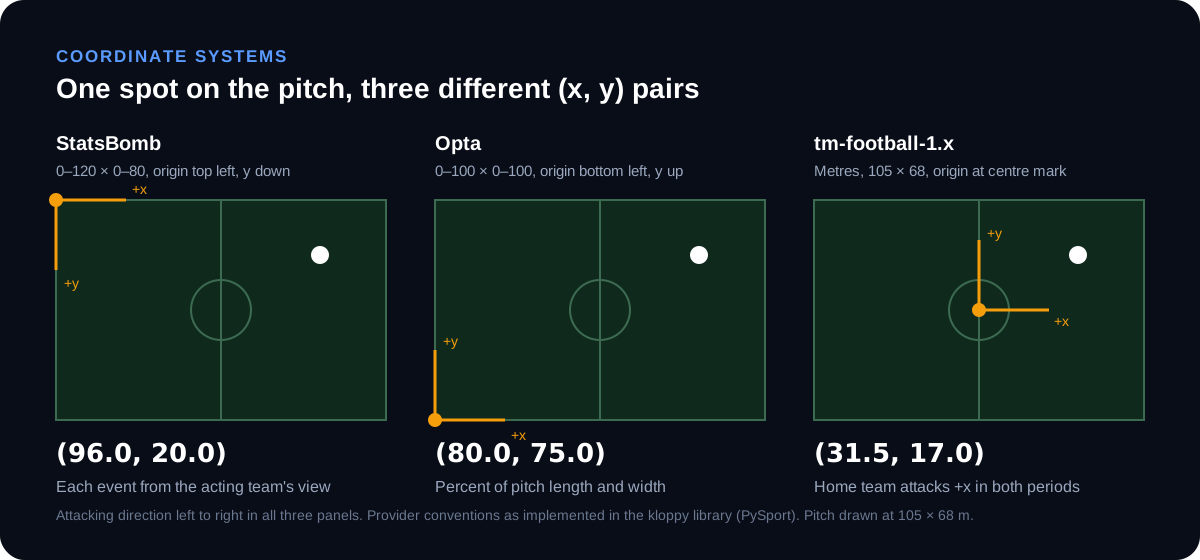
Any system works if the file says which one it is. The bugs come from assuming. The three providers most teams meet first all use different ones. The kloppy library, which converts between provider formats, defines them like this (kloppy source):
| Provider | Range | Origin | y-axis | Direction of play |
|---|---|---|---|---|
| StatsBomb | x 0–120, y 0–80 | Top left | Top to bottom | From the acting team's view |
| Opta | 0–100 on both axes | Bottom left | Bottom to top | Check your feed's docs |
| Wyscout | 0–100 on both axes | Top left | Top to bottom | From the acting team's view |
| Our default | Metres, ±length/2 × ±width/2 (±52.5 × ±34 on 105 × 68) | Centre mark | Toward home team's left touchline | Home team attacks +x in both periods |
Two of these decisions catch teams out most often.
Normalised units or metres. A 0–100 grid treats every pitch as the same shape, so one unit along x is a different distance from one unit along y. That is fine for heat maps. It breaks distance and speed, because pitches differ in size within the limits of IFAB Law 1. If you will compute pass lengths or train anything spatial, use metres and record the real pitch size where you know it.
Whose direction of play. StatsBomb and Wyscout events are recorded from the point of view of the team performing them, according to kloppy. So a home pass and an away pass to the same spot can have mirrored coordinates. Our default does the opposite: one fixed frame for the whole match, with the home team always attacking +x, and positions flipped at half-time. Neither is wrong. Mixing them is. Write the rule into coordinate_system.x_axis in plain words.
How should you record time?
Use two clocks: the match clock for people, and the frame index for models.
timestamp is the match clock within the period, to hundredths of a second (00:23:18.52), and it restarts at zero at the start of every period. Analysts and coaches read it. If you need the broadcast-style clock that runs from 45:00 in the second half, derive it from period and timestamp rather than storing both.
The match clock is not enough to train a model, because a model learns from frames. SoccerNet's action spotting labels are a good public example. Each label's gameTime gives the half and the time as minutes and seconds, alongside the label and whether the action was visible. The CALF baseline turns that into a frame by multiplying the seconds by the feature frame rate (SoccerNet CALF). That suits spotting an event within a second or two. On its own, a minutes-and-seconds time cannot place a ball contact on its exact frame.
So for CV work, we add:
frame: the frame index of the event in a named video file. For on-ball events, the frame of ball contact.video_time_s: seconds from the start of that file, as a cross-check.- In the header,
video.file,video.fpsandvideo.kickoff_framefor the period the file covers.
Tie frames to one exact file. Re-encoding, trimming or a different frame rate shifts every frame number. Our schema allows a sha256 of the source file for that reason. One event file covers one video file. If your footage arrives as separate halves or clips, deliver one event file per video, all sharing the same match_id.
How do you define event types and outcomes?
Use two levels of type, a controlled list of outcomes, and qualifiers for everything else.
event_groupis the family: Passes, Reception, Possession Action, Defensive Action, Duel / Attacking Action, Goalkeeper Actions, Set Pieces, and so on.sub_eventis the specific action: through pass, interception, ground duel, goal kick.outcomeis a short value from a list defined in your guidelines, such ascomplete,controlled,won,lost,on_target,off_targetorparried. The schema lists examples rather than enforcing them, because the right list depends on your scope.qualifiersholds the detail that only applies to some events: pressure level, body part, whether a pass was progressive, the delivery zone of a corner.
Our full list of groups, sub-events and qualifiers is public on the sports taxonomy page. Providers organise this differently. A StatsBomb event carries a type object with an ID and a name, and nests pass detail inside a pass object, such as recipient, length, height, end_location and body_part. An Opta F24 event is an XML element with attributes such as type_id, period_id, min, sec, team_id, outcome, x and y, and its detail sits in child Q elements identified by qualifier_id (both checked against the StatsBomb and Opta F24 sample files in the kloppy test suite). Wyscout's v2 events carry numeric event and sub-event codes, detail in a tags list, locations in a positions list, and time as eventSec within a matchPeriod (kloppy Wyscout v2 sample).
Whatever structure you pick, the names are not the definitions. "Pressure" in one provider is not "pressure" in another. Write a one-paragraph definition for every sub-event and every qualifier value, with the edge cases: when a pass under a challenge counts as a duel, when a carry starts, what "high" pressure means in metres. That document is the second half of the data dictionary, and it matters more than the JSON. Our football tagging buyer's guide covers what usually gets tagged and how accurate human tagging is.
Link events that belong together. related_event_ids connects a pass to its reception, a shot to the save, and both sides of a duel. A duel is two records, one per player, each pointing at the other. Without the links, every consumer has to rebuild them from timestamps, and each one does it slightly differently.
How should you handle players you can't identify?
Record what you know and nothing more. On wide-angle amateur and academy footage, shirt numbers are often unreadable. The temptation is to fill the field with the most likely player. Don't.
In our schema:
player_jerseyis the shirt number, ornullwhen identity can't be confirmed from the video.player_idis an optional stable ID from the client's roster, for when a number changes between matches.qa.flag: "identity_uncertain"marks the event, so you can filter it out of player-level training data and still keep it for team-level stats.
Events 9 and 10 in our sample file show this: a reception and a shot where the shooter's number was never visible. They carry null and a flag, not a guess. Identity rules across camera cuts and occlusion need their own spec. Our guide to player re-ID labeling rules covers how to write it.
Which QA fields should a buyer ask for?
Put review status on every event, not only in a summary report. A summary report gives you one acceptance rate for the delivery. Per-event fields tell you which events failed, and let you train only on events that passed a given check.
Our qa block has four fields:
| Field | Meaning |
|---|---|
reviewed | A specialist reviewer has checked this event after the primary annotator |
audited | A senior auditor has also checked it |
changed_in_review | A reviewer or auditor corrected the original label |
flag | Why the event needs attention: identity_uncertain, location_estimated, off_camera or definition_query |
These map to our three QA layers: primary annotator, specialist reviewer, senior auditor. The off_camera flag covers events that happen outside the shot, such as a pass whose start is behind the camera when a stream pans. SoccerNet records the same idea with its visibility field, which marks actions as "not shown" (SoccerNet CALF).
In our view, changed_in_review is the most useful field here. Across a match it gives a correction rate. Grouped by event type, it shows where the definitions are unclear. For the metrics to ask a vendor for alongside it, see how to tell if an annotation vendor's labels are good. To check a delivery after the fact, see how to audit sports annotation labels.
How do you version the schema?
Use a name plus a major and minor number, and promise what each kind of change means. Ours is tm-football-1.x:
- A minor change (1.0 to 1.1) only adds optional fields. Every 1.0 file is still a valid 1.1 file. Our CV sample is 1.1. It adds frame alignment and the extra QA fields, and our original 1.0 sample still validates against the same schema.
- A major change (1.x to 2.0) renames, removes or changes the meaning of a field, and comes with a migration note.
Write the version into every file, and validate every delivery against the schema before it leaves the tagging team. A JSON Schema file makes that a few lines of code in most languages.
Download the schema and sample files
All three files are free to copy, adapt and use in your own spec:
- football-event-data.schema.json: JSON Schema (draft 2020-12) for
tm-football-1.x, with a description on every field. This is the data dictionary in machine-readable form. - football-event-data-cv-example.json: 12 events from one 17-second passage of play, with frame alignment, linked events, an unidentified player and the QA flags.
- football-event-tagging-example.json: the shorter 1.0 sample from our football event tagging page.
Both samples are synthetic: written to show the format, not taken from any real match or client project. To check a file against the schema in Python:
import json
from jsonschema import Draft202012Validator

schema = json.load(open("football-event-data.schema.json"))
data = json.load(open("your-match.json"))
errors = list(Draft202012Validator(schema).iter_errors(data))
print("valid" if not errors else [e.message for e in errors])
A checklist for your football event data spec
Before tagging starts, the spec should answer:
- What is the coordinate system: units, origin, axis directions, and whose direction of play?
- Is time recorded as match clock, frame index, or both? Which video file do the frames refer to?
- What are the event groups, sub-events and outcomes, and where is each one defined in writing?
- Which qualifiers apply to which events, and what are their allowed values?
- How are linked events (pass and reception, both sides of a duel) connected?
- What happens when a player can't be identified?
- What QA status is recorded per event?
- How are the schema and the guidelines versioned, and what does each kind of change promise?
- Which formats are delivered (JSON, CSV, XML), and how is each one validated?
If you can't answer one of these, that is the conversation to have with your tagging partner before the first match, not after the hundredth. For what drives cost once the spec is fixed, see our sports video annotation pricing guide.
Frequently asked questions
What format is football event data usually delivered in?
JSON and CSV are the usual choices for custom tagging, and XML is still used by some provider feeds. StatsBomb's open data is published as JSON files from its data API (StatsBomb open data). Opta's F24 event feed is XML (kloppy sample). CSV is easy to open but handles nested qualifiers and linked events badly, so treat JSON as the main format and generate CSV from it.
Can I convert StatsBomb or Opta data into this schema?
Yes, with a mapping step. Match details, time, team and player map almost directly. Event types, outcomes and qualifiers need a mapping table, because each provider defines them differently. Coordinates and direction of play need converting: convert coordinates to metres using the real pitch size if you have it, and flip each away-team event if the source records events from the acting team's view. The open-source kloppy library already converts between several provider formats and is a good starting point.
Should event data include tracking data?
No. Keep them in separate files that share a match_id and a time base. Event data has one record per action. Tracking data has the position of every player many times per second, so it is far larger and changes on a different schedule. Linking the two through the frame index is what makes the event file useful for computer vision.
Do I need a frame number if I only do match analysis?
Not strictly. If the output is reports and clips, the match clock is enough. Add frames if there is any chance the data will train a model later. Adding them during tagging costs little. Adding them afterwards means going through the video again.
Can a tagging service deliver in our own schema instead of this one?
It should. Our default is the schema above, but we deliver in a client's structure when one exists, or tag directly inside the client's own platform. Either way, the definitions are written down and versioned before the first match.
Get one match back in this schema
The fastest way to test a spec is to see one real match tagged to it. Send us a match or clip, preferably the footage with unreadable shirt numbers and crowded boxes. We'll tag it to this schema or yours, run it through all three QA layers, and send the file back with a QA report. The pilot is free, with no contract. See the football event tagging service or start a free pilot.
Provider formats were checked against the kloppy and SoccerNet source code and sample files in November 2026. Recommendations are our own. Spot an error? Email info@trainmatricx.com.

Client results

“Train Matricx didn't just provide labeling — they became an extension of our team. With 6K+ football matches annotated and counting at 98% accuracy, they are our premier data partner.”

Billy Brush
Founder & CEO, Dark Horse AI
Don't take our word for it. Test the labels.
Send us the footage your current vendor gets wrong — the occluded players, the motion blur, the edge cases. We annotate it and return a QA report you can check frame by frame.
- Your hardest clip, annotated in 3 business days
- Full QA report with per-frame accuracy
- No commitment, no contract, no card